


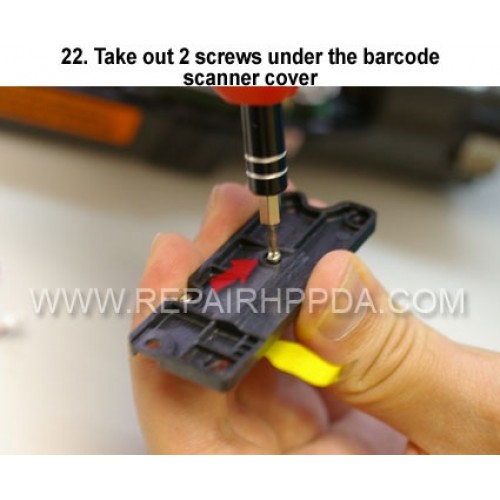
22. Take out 2 screws under the barcode scanner cover
Cliquez sur l'image pour la galerie
22. Take out 2 screws under the barcode scanner cover
- Modèle : Step 22
- Disponibilité : En Stock
- US $0,00
.9. Take out 2 screws which near the Sim card connector..
US $0,00
.8. Seperated the Keypad successfully..
US $0,00
.7. Pull and take out the keypad..
US $0,00
.6. Take 2nd screw inside and near the battery connector..
US $0,00
.5. Take 1st screw inside and near the battery connector..
US $0,00
23. Pull the white connector up to take out the flex cable..
US $0,00
Motherboard Replacement for Zebra ET60..
US $498,00
Scanner Lens Replacement for Zebra Symbol DS3608-DP..
US $2,50
RFID Board Replacement for Zebra MC333R-G (RFID)..
US $98,00
Dock connector ( left ) Replacement for Zebra ET60P/N: 54-400417-01..
US $48,00


