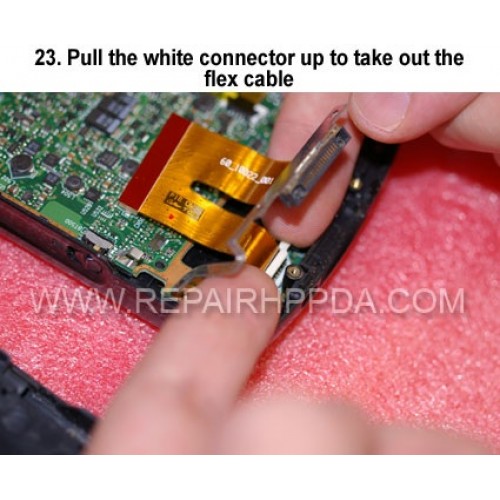
23. Pull the white connector up to take out the flex cable
Cliquez sur l'image pour la galerie
23. Pull the white connector up to take out the flex cable

- Modèle : Step 23
- Disponibilité : En Stock
- US $0,00
22. Take out 2 screws under the barcode scanner cover..
US $0,00
17. Take out the button switch connector on the right hand side..
US $0,00
Middle metal frame Replacement for Zebra ET60, ET65..
US $54,90
Handstrap for Motorola Symbol MC36
..
US $0,80
Camera Module Replacement for Motorola TC55 TC55AH TC55CH ..
US $1,00