

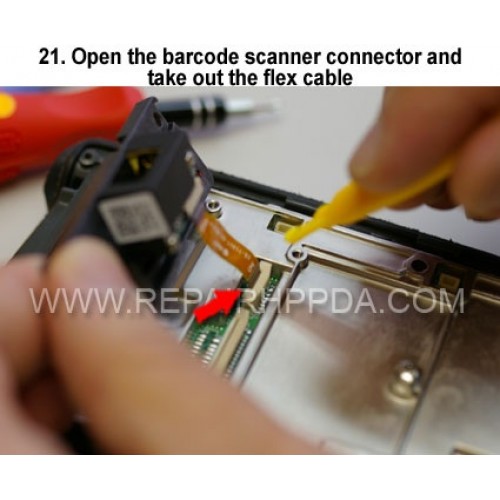
21. Open the barcode scanner connector and take out the flex cab
Clique na imagem para Gallery
21. Open the barcode scanner connector and take out the flex cable

.9. Take out 2 screws which near the Sim card connector..
US $0,00


.6. Take 2nd screw inside and near the battery connector..
US $0,00

.5. Take 1st screw inside and near the battery connector..
US $0,00

LED Flex Cable for SE4750-DP Replacement for Zebra Symbol DS3608-DP..
US $6,90