


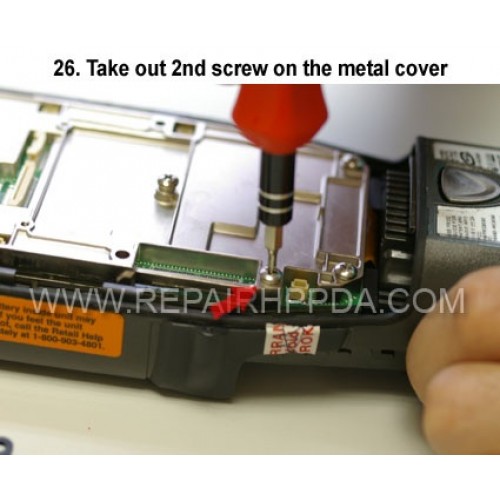
26 Take out 2nd screw on the metal cover
Klickt auf das Bild für die Galerie
26. Take out 2nd screw on the metal cover

.9. Take out 2 screws which near the Sim card connector..
US $0,00


.6. Take 2nd screw inside and near the battery connector..
US $0,00

.5. Take 1st screw inside and near the battery connector..
US $0,00

Scanner Flex Cable ( for SE5500 ) Replacement for Zebra Motorola TC52AX
..
US $39,90

Non-Original LCD with Touch Digitizer Replacement for Zebra TC52AX, TC52X, TC57X
..
US $59,90


15. Take out 4 scews on the backup battery cover..
US $0,00